What Border Watch covers
Border Watch is a free biosecurity game from Biosecurity Training NZ. Students work a shift at the border and decide which arrivals to intercept and which to clear. Twelve of the arrivals are real threats to New Zealand and six are harmless, including native species like the wētā and pīwakawaka. A full round takes about eight minutes and ends with a 10 question certification.
The twelve unwanted pests and diseases in the game are:
- Brown marmorated stink bug
- Queensland fruit fly
- Spotted lanternfly
- Spongy moth
- Red imported fire ant
- Giant African snail
- Citrus longhorn beetle
- Foot and mouth disease
- Lumpy skin disease
- African swine fever
- High pathogenicity avian influenza
- Pine pitch canker
The game teaches one response to anything unusual. Do not touch it, photograph it, and call Biosecurity New Zealand on 0800 80 99 66.
Threat or harmless, try six
These six come straight from the game. Decide whether each one should be intercepted at the border or cleared.
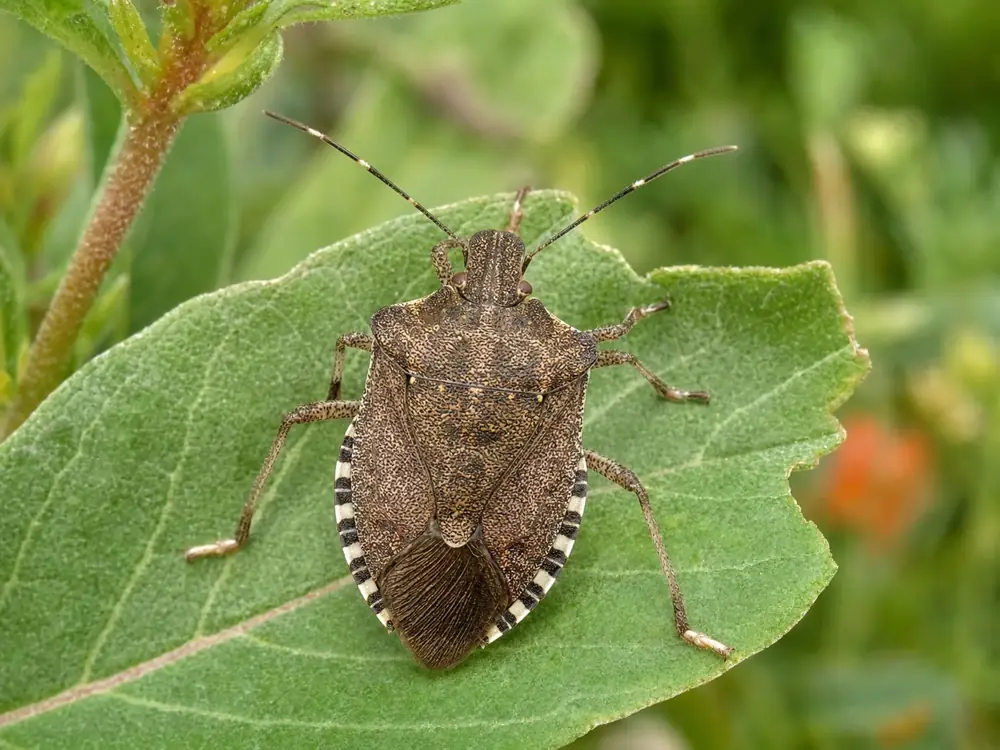
Brown marmorated stink bug
A brown, shield-shaped bug with white-banded antennae and a black-and-white edged body.
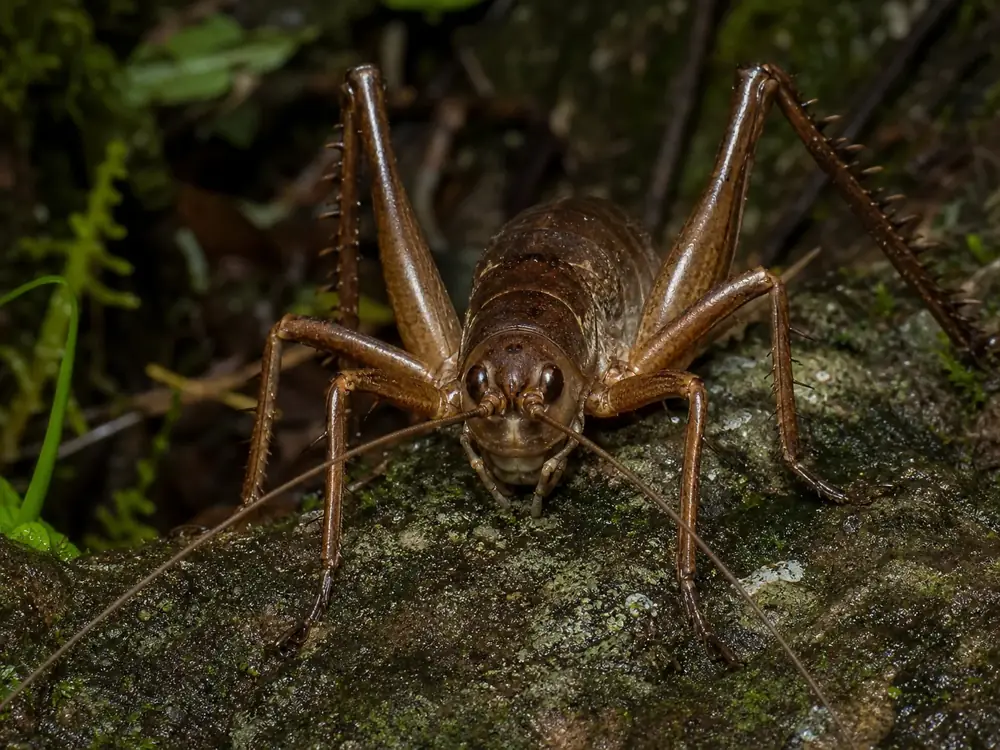
Wētā
A large, spiny, cricket-like insect that is native to New Zealand.
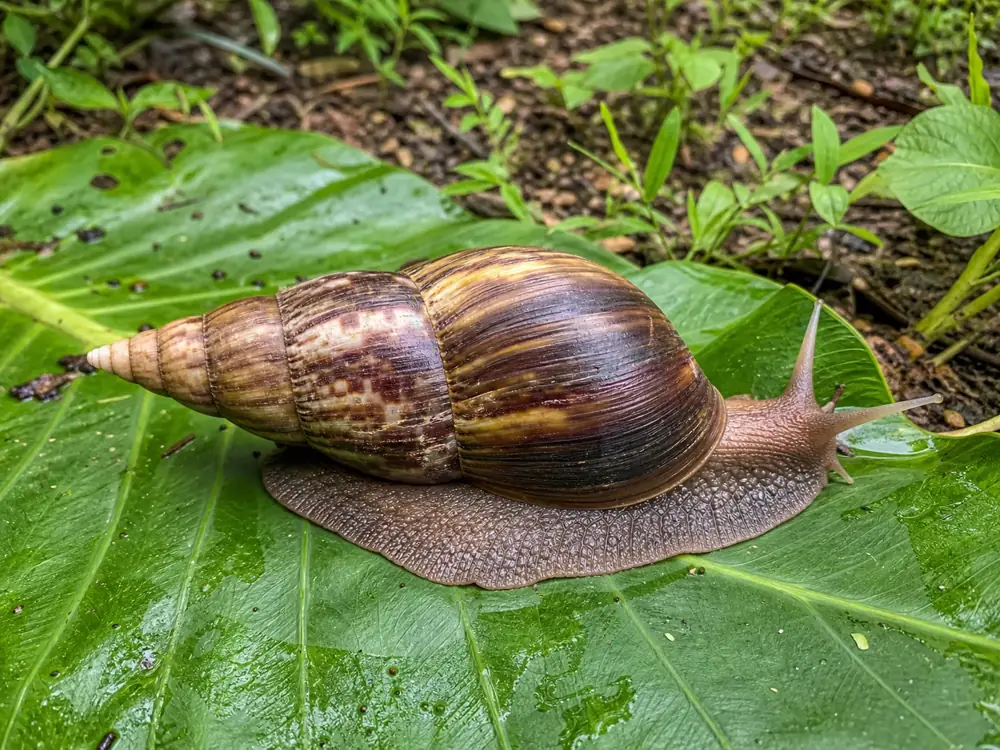
Giant African snail
A very large snail with a long, narrow, cone-shaped brown and cream banded shell.
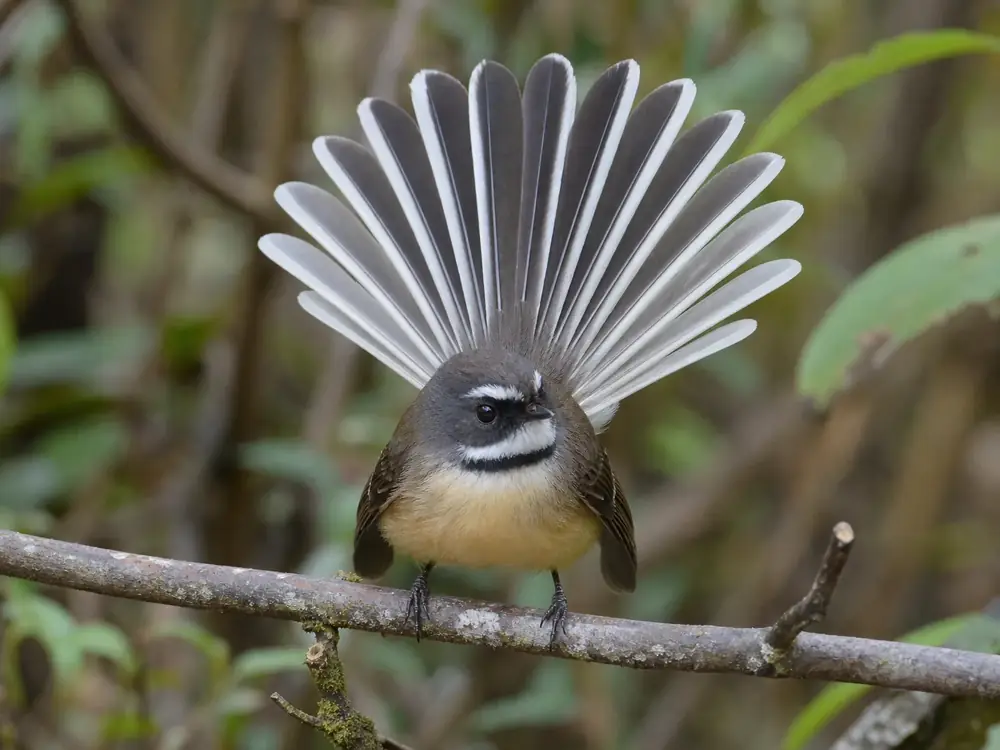
Pīwakawaka (fantail)
A tiny native bird flitting about with its tail fanned wide.
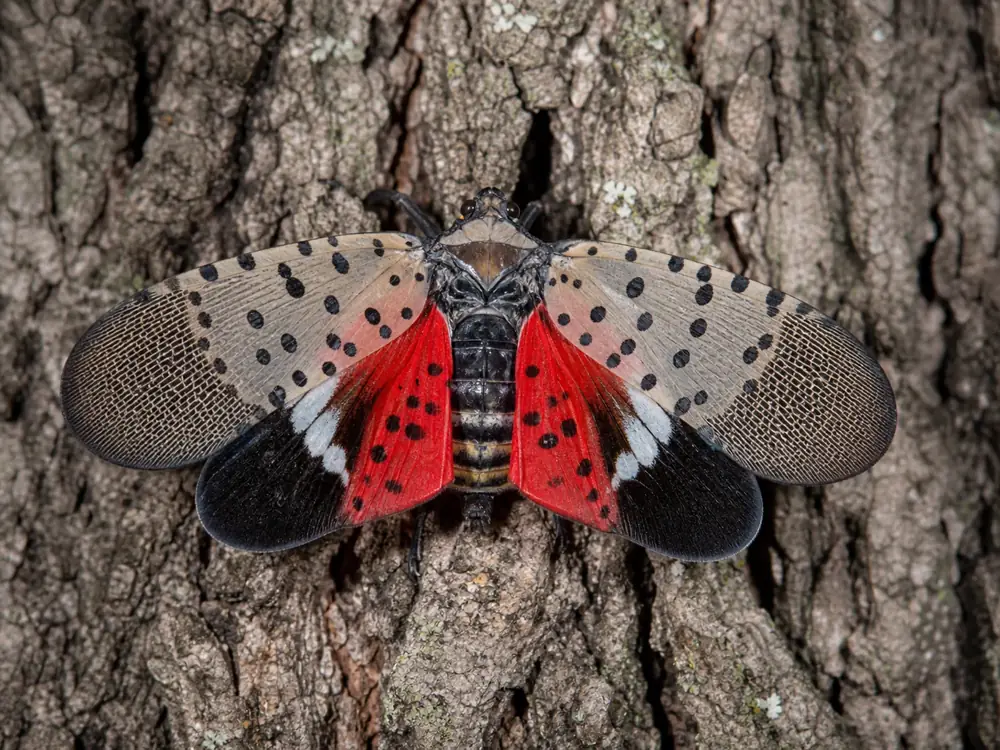
Spotted lanternfly
A 2.5 cm plant-hopper with spotted grey forewings and a flash of red hindwing.
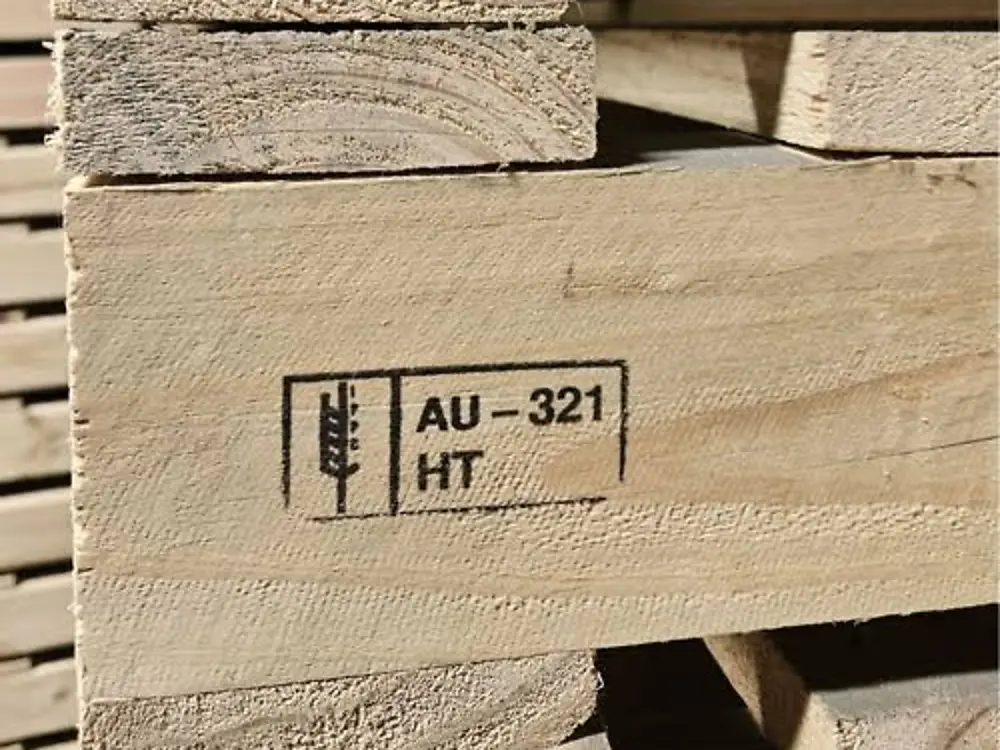
Treated pallet
A wooden pallet stamped with a heat-treatment compliance mark.
Now try the real shift. The full game has 18 arrivals on a timer and a 10 question certification.
Play Border WatchThree ways to run it in class
Pick the setup that suits your room and your devices.
Play it together on the big screen
- Open Border Watch with the timer off on the projector.
- Read each arrival aloud and let the class vote Intercept or Clear.
- Read the feedback card together. It names how each pest arrives and what to do.
- Finish with the 10 question certification as a class quiz.
Students play their own shift
- Share the link biosecuritytraining.nz/unwanted-pests-challenge.html.
- Each student plays one shift on a Chromebook, tablet or phone. No sign in is needed.
- Students save their result as a PDF from the results screen.
- Compare ranks and talk through the threats that got past.
Study, then play
- Open the game and choose Study the field guide first.
- Students tap through the twelve threats to read how to spot each one, why it matters and how it travels.
- Watch the 60 second briefing video on the same page.
- Start the shift.
Questions from teachers
Yes. Border Watch is free to play. There are no accounts, no sign in and nothing to install.
It runs in the web browser, so it works on Chromebooks, tablets, phones and computers. On a phone the answer buttons and the Next button stay on screen, so students do not need to scroll during a turn.
About eight minutes. That covers 18 arrivals on the border and a 10 question certification at the end.
Yes. Open biosecuritytraining.nz/unwanted-pests-challenge.html?notimer and the arrivals wait for an answer. This suits a class talking each call through on the projector.
Yes. The results screen has a Save result button that opens the print dialogue, where students can print the certificate or save it as a PDF.
MPI publishes a free teaching resource called A biosecurity team of millions, written for curriculum levels 3 to 5. Biosecurity Awareness Month runs every August.